
Perler bead pattern maker
Perler Beads Pattern Maker
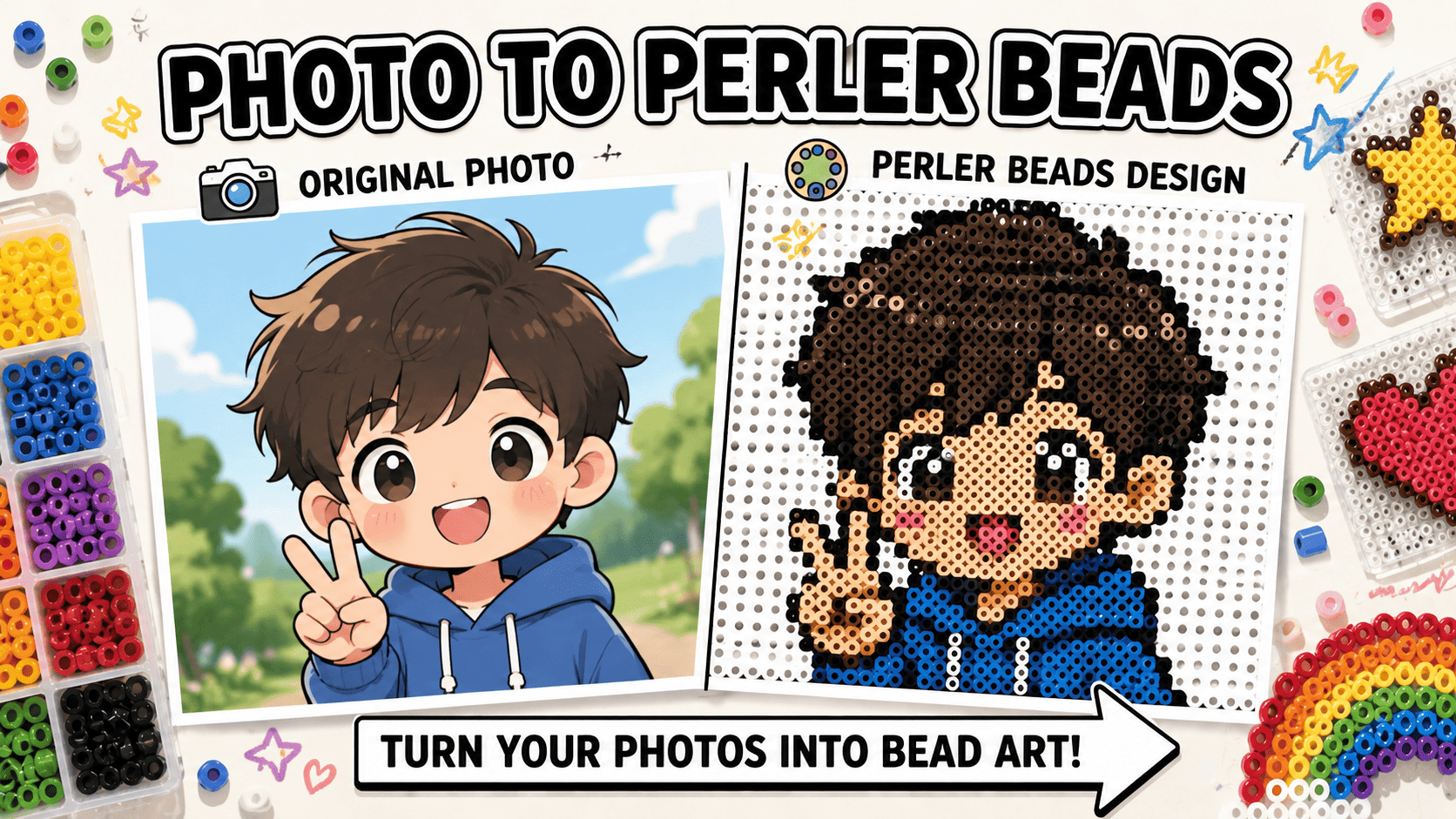
Turn a photo into an editable fuse bead grid. Pick a bead brand, adjust the board size, clean individual cells, check bead counts by color, then export a printable pattern.
Common searches
What people need from a perler beads editor
Real search results around perler bead generators keep coming back to the same practical needs: photo conversion, brand colors, bead counts, manual cleanup, and printable output.
Photo to perler beads
Upload a photo and turn it into a fuse bead grid that can still be edited before export.
OpenReal bead color codes
Map the pattern to Perler, Hama, Artkal, or MARD colors instead of a random digital palette.
ViewBead count by color
Check the total bead count and each color count before buying or sorting supplies.
ViewEdit the bead pattern
Fix noisy pixels, replace colors, draw lines, fill areas, and clean the pattern by hand.
ViewPrintable pattern
Export a PDF or PNG with the grid, labels, and material list for building offline.
ViewPrivate local editing
The advanced editor works in the browser for the original conversion and manual edits.
ViewPattern editor
Upload, map colors, edit cells, and export
This is the advanced perler beads workspace for people who need more than a one-click result: choose bead brand, resize the grid, clean noisy pixels, replace colors, and download the build sheet.
Upload a clear image
Simple subjects, icons, pets, portraits, and logos are easier to read as beads than busy backgrounds.
Pick brand and grid
Choose the bead brand you actually use, then set the grid width and height for the board size you want.
Clean the pattern
Use brush, fill, line, replace color, and denoise tools to remove awkward pixels before printing.
Export the build sheet
Download a PDF or PNG pattern with grid labels, brand color codes, bead counts, and a material list.
Perler Beads Pattern Generator
Upload your photo and auto-generate a bead pattern with brand color mapping
Select Brand
Color Palette
(40)Canvas Settings
Image Conversion
Brand palettes
Match your pattern to beads people actually buy
Searchers do not just want pretty colors on screen. They want a pattern that maps to the bead brand they already own or plan to buy, with color codes that make sorting and shopping easier.
Perler colors
Use brand-aware mapping so the palette is buildable, not just decorative.
Hama colors
Use brand-aware mapping so the palette is buildable, not just decorative.
Artkal colors
Use brand-aware mapping so the palette is buildable, not just decorative.
MARD colors
Use brand-aware mapping so the palette is buildable, not just decorative.
Bead count
Know how many beads you need before you start
Bead count is one of the most practical reasons people look for a pattern maker. The editor should help them estimate supplies, avoid missing colors, and decide whether a design is too big before printing.
Total bead count
Useful before buying beads and while sorting colors.
Count by color
Useful before buying beads and while sorting colors.
Estimated bags
Useful before buying beads and while sorting colors.
Material list
Useful before buying beads and while sorting colors.
Printable output
Export a pattern you can build from
Printable output matters because bead projects are built away from the screen. A good perler bead pattern needs grid labels, color codes, and a material list that still make sense after printing.
PDF pattern
Built for offline craft sessions, not just preview.
Printable grid
Built for offline craft sessions, not just preview.
Numbered cells
Built for offline craft sessions, not just preview.
Perler beads FAQ
What is the difference between this page and photo to perler beads?
The photo-to-perler page is a simpler converter flow. This page is the advanced editor, where you can choose bead brand, edit cells, replace colors, denoise, and export a more controlled pattern.
Can I choose Perler, Hama, Artkal, or MARD colors?
Yes. The editor maps your image to real brand palettes so the color list matches beads people actually buy or already own.
Does the pattern show how many beads I need?
Yes. The material list shows bead counts by color plus the total count, which is one of the main things builders search for before starting.
Can I manually fix the generated pattern?
Yes. You can brush, erase, fill, draw lines, replace colors, denoise noisy cells, and switch the bead shape preview.
Can I print the perler bead pattern?
Yes. Export PDF for a printable build sheet or PNG for a shareable image reference.